How to Use Backing Tracks in Live Worship (Without a Laptop)
You don't need an Ableton session, a MacBook side-stage, or a dedicated tracks volunteer. Here's how modern worship teams run backing tracks from a single iPhone.
If you've ever watched a bigger church run tracks and thought "we could never pull that off," this guide is for you. The traditional playback rig — a laptop running Ableton Live, an audio interface, per-song stem purchases, and someone who knows how to babysit all of it — is powerful, but it's overkill for most worship teams. What you actually need on Sunday is simpler: a loop that fills out your sound, a click that keeps the band together, and a way to start each song at the right tempo.
What backing tracks actually do for a worship set
Backing tracks (also called loops or tracks) add the parts your team doesn't have — percussion, shakers, ambient pads, that syncopated conga pattern in the praise break — and they lock the band to a consistent tempo. The result is the polished, "full" sound you hear on the recordings your congregation knows, even with a four-piece team.
Just as importantly, tracks come with a click: a metronome in the drummer's in-ears that keeps every chorus from rushing and every bridge from dragging. Once your band plays to a click, transitions get tighter, medleys become possible, and the whole set breathes better.
Why the laptop rig is harder than it looks
-
Cost: stems are typically $13–17 per song, plus a laptop, an interface, and cabling.
-
Prep time: every new song means buying stems, importing them into a session, setting markers and routing outputs.
-
A single point of failure that needs an operator: if the person who built the session is out sick, Sunday changes.
For a church that introduces one or two new songs a month, that's a lot of overhead for what the congregation experiences as "the band sounded tight."
The one-phone alternative: running tracks from LiveTrackz
LiveTrackz compresses the whole rig into an iPhone or iPad app. Here's the Sunday-ready workflow:
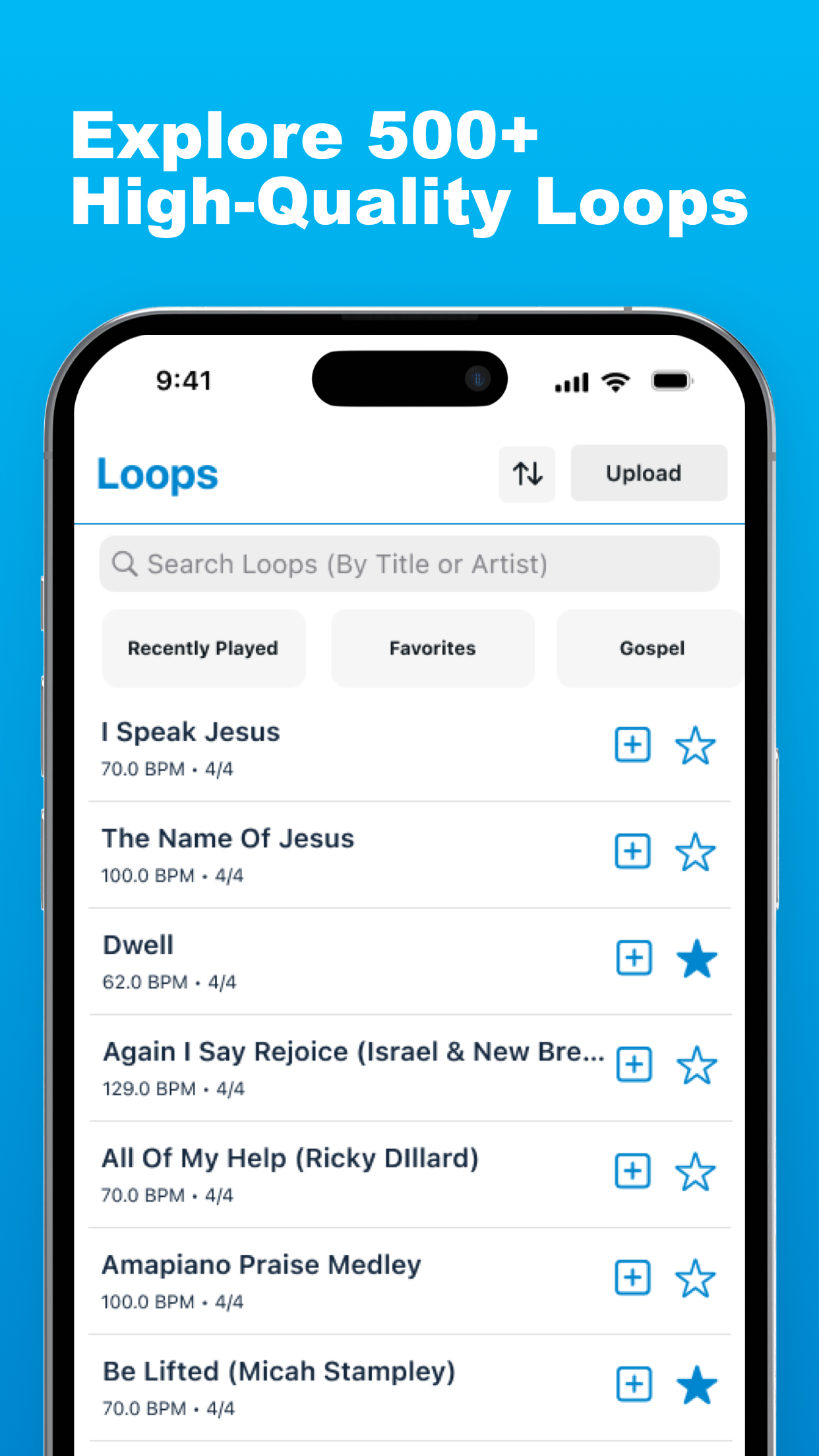
The LiveTrackz library: 3000+ loops tagged with BPM and time signature.
1. Find loops for your songs
Search the 3000+ loop library by song title or browse the Gospel category. Songs like "I Speak Jesus," "The Name of Jesus" and full praise medleys are already there, tagged with BPM, key and time signature. If a song you need isn't in the library, request it as a custom loop — free for subscribers.
2. Mix the loop for your room
Open multitrack control and set levels per element: bring the click up for the drummer, pull the shakers back if your percussionist is live, mute what you don't need. You're shaping the loop around your team, not replacing them.
3. Build the setlist before rehearsal
Add each song with its tempo and key, then share the setlist with your team via an invite link. Everyone rehearses to the same tempos you'll use on Sunday.
4. On Sunday: connect, tap, play
Connect your phone to the board (a simple stereo feed works; send click to the in-ear mix), open your setlist, and tap to start. The count-off brings the band in at exactly the programmed BPM. Between songs, one tap loads the next track at its own tempo — no laptop, no mouse, no scene changes.
Tip: Put your phone in Do Not Disturb and plug into power before the set. A backing track rig is only as reliable as its battery.
What you need to get started
-
An iPhone or iPad (iOS 15+) with LiveTrackz installed
-
A cable or interface from the phone to your console (headphone-out to DI works for day one)
-
In-ears or a monitor feed for the drummer's click
-
15 minutes before rehearsal to build your first setlist
That's genuinely it. Start with one song this Sunday — a loop under a praise song your team already knows — and grow from there.
Run your first set with tracks this Sunday
LiveTrackz is free to download, with 3000+ worship loops, a reliable click and shared setlists built in.